Overview

This project is a 10-week class focused on user centered design and user research. BP Helper is a handy app to help keep tracking your blood pressure, heart rate, weight and manage your medications fun and easily. Keeping tracking BP and weight readings is a good habit to monitor your heath situation or check if certain med is workable for you.

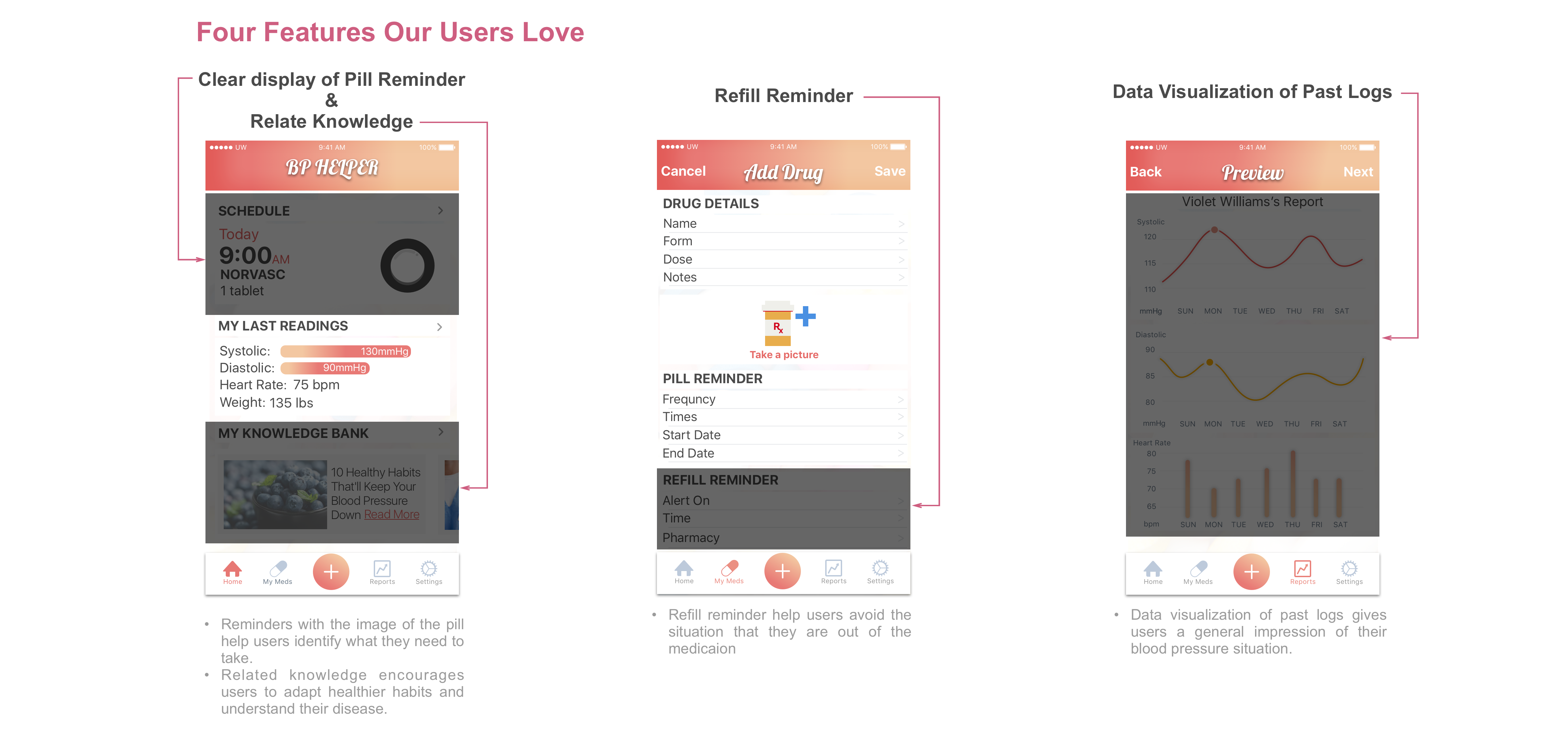
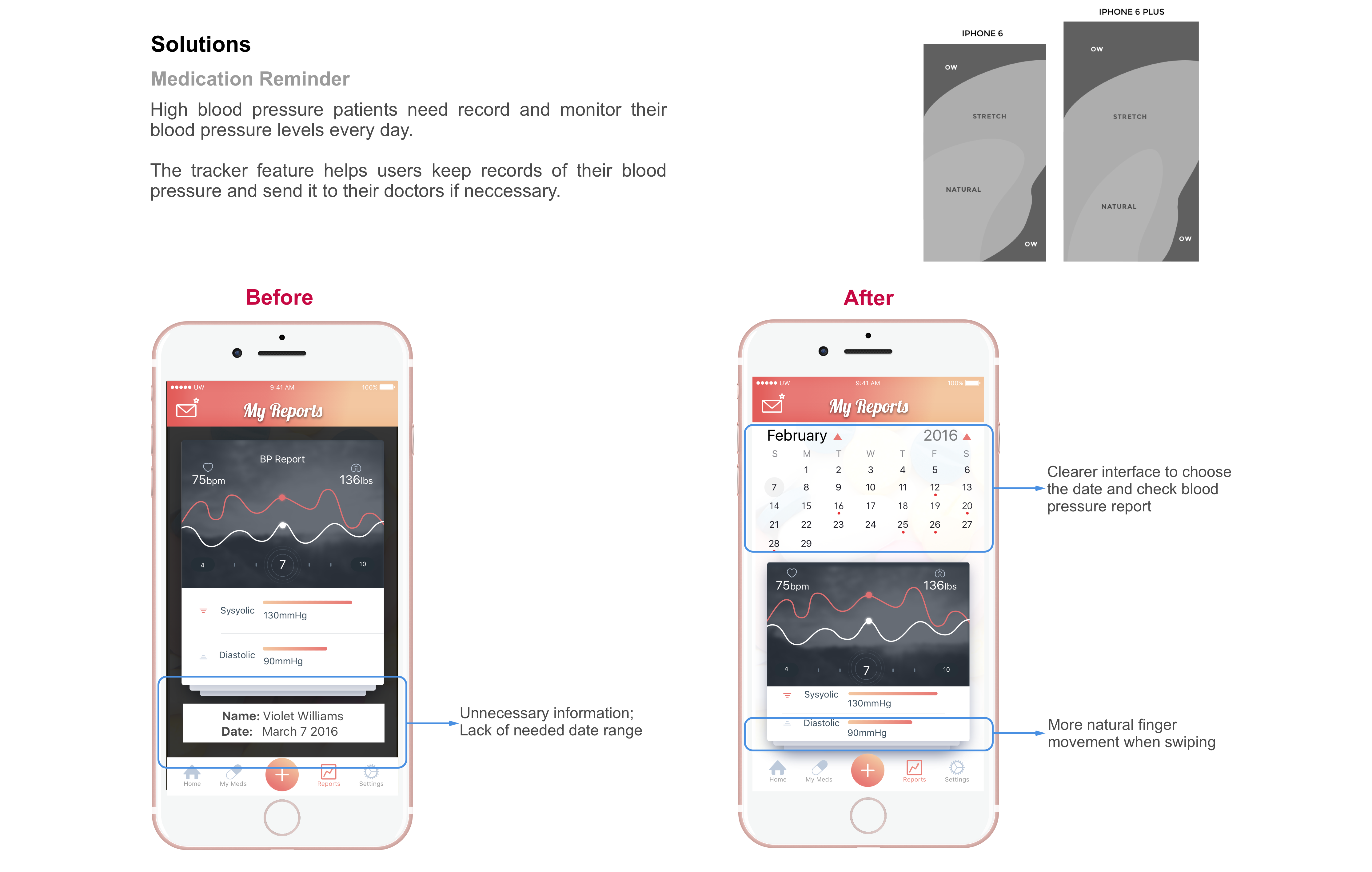
Comparing with other apps with similar concepts, this app focuses on hypertension patients. It tracks your prescriptions and reminds you when it’s time for a refill, since hypertensions patients are required to take medications constinuously. Moreover, users can send their monthly/quarterly/yearly blood pressure reports to their doctor easily for better treatment.

Tools

Sketch, AE, FramerJS, Google Form, Marvel, Lucid Chart

Roles

User Research                     User Interview

Paper Prototype                   Usability Testing

User Task Flow                     Interaction Design

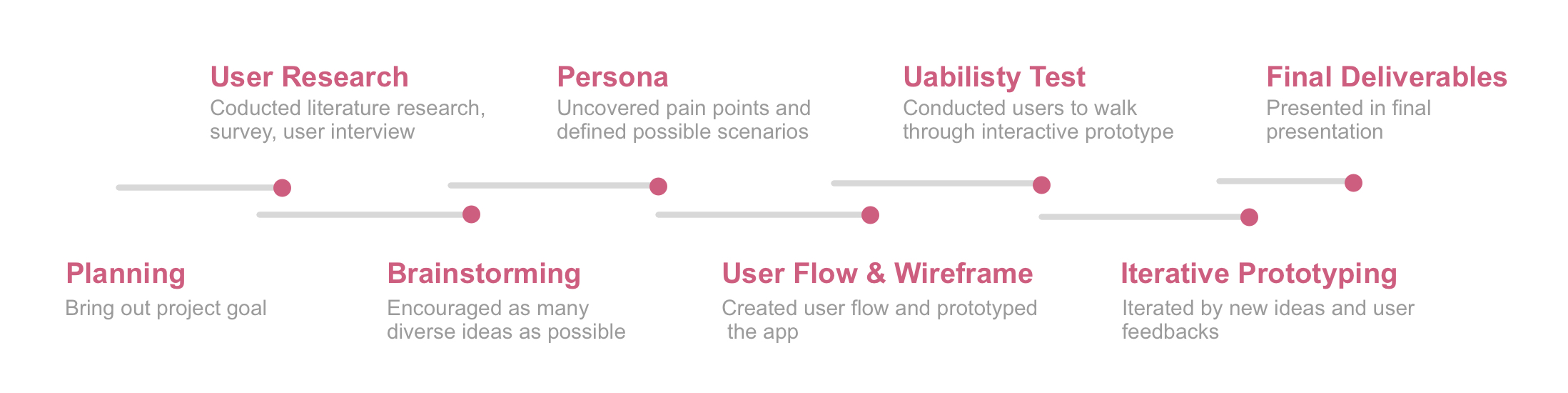
Design Process

the Challenge

How can we help hypertension patients or potential hypertension patients control blood pressure?

Identify Needs

Initial Research


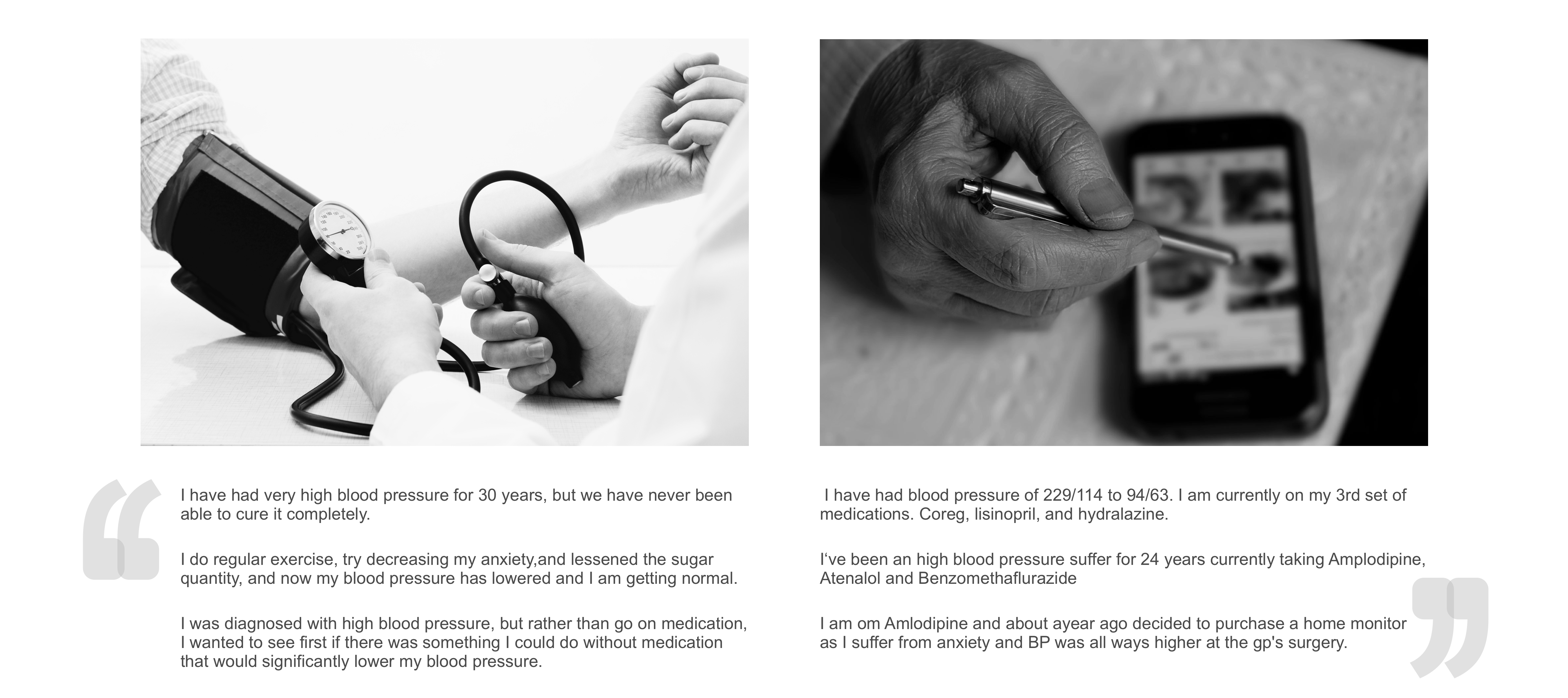
I did secondary research including literature research, as well as primary research including user survey, and individual interviews.The objective was to gain a deeper understanding of the requirements and needs of hypertension patients and find the problem spaces.
Literature Research
I read several papers about prevention, detection, evaluation, and treatment of high blood pressure.
Online Survey
We created a 20-question questionnaire and over 30 people answered it.
Individual Interview
I conducted 4 semi-structured interviews with participants. Two of them were diagnosed with hypertension. Two of them had the higher prevalence of hypertension. I used open-ended questions so that the participants can share their views.


Research & Surveys


User Interviews


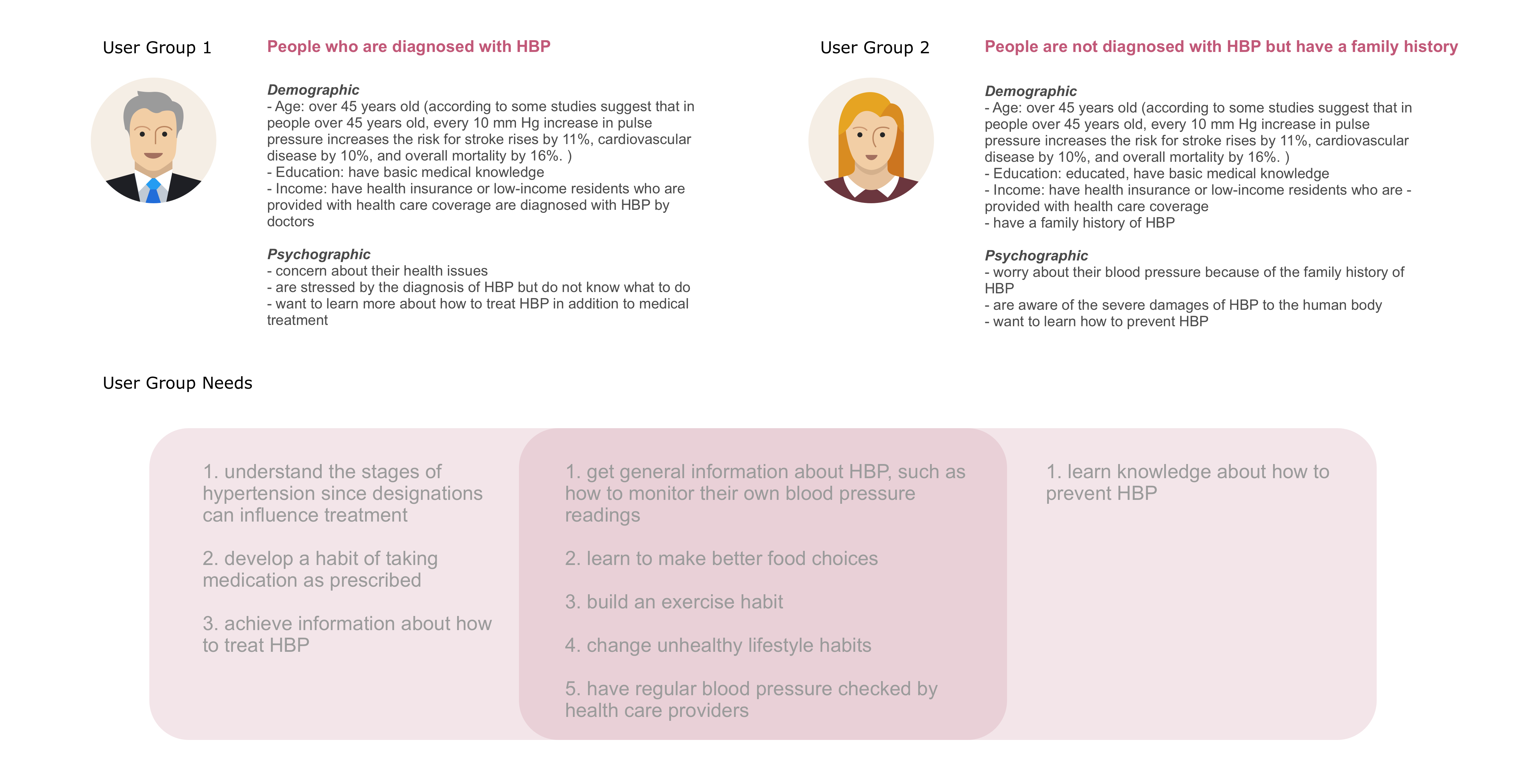
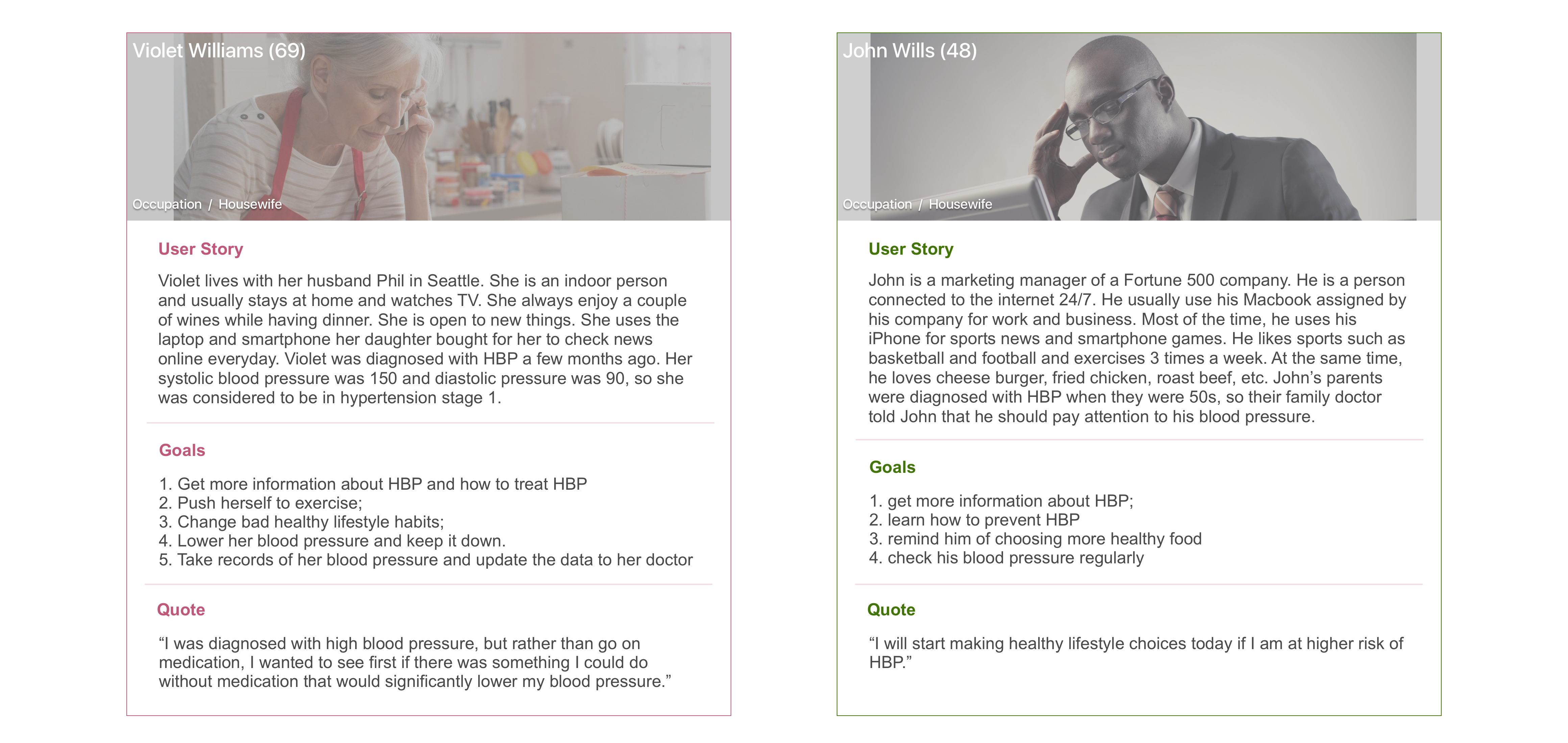
The main user goals and a list of features were generated in the research stage. I created two user groups to organize and to uncover patterns in user goals, behaviors, and pain points. Furthermore, I identified two fictional "characters" to represent one type of users, which might address on one of problems I tried to solve.

Understand Users

User Groups


Personas


User Task Flow

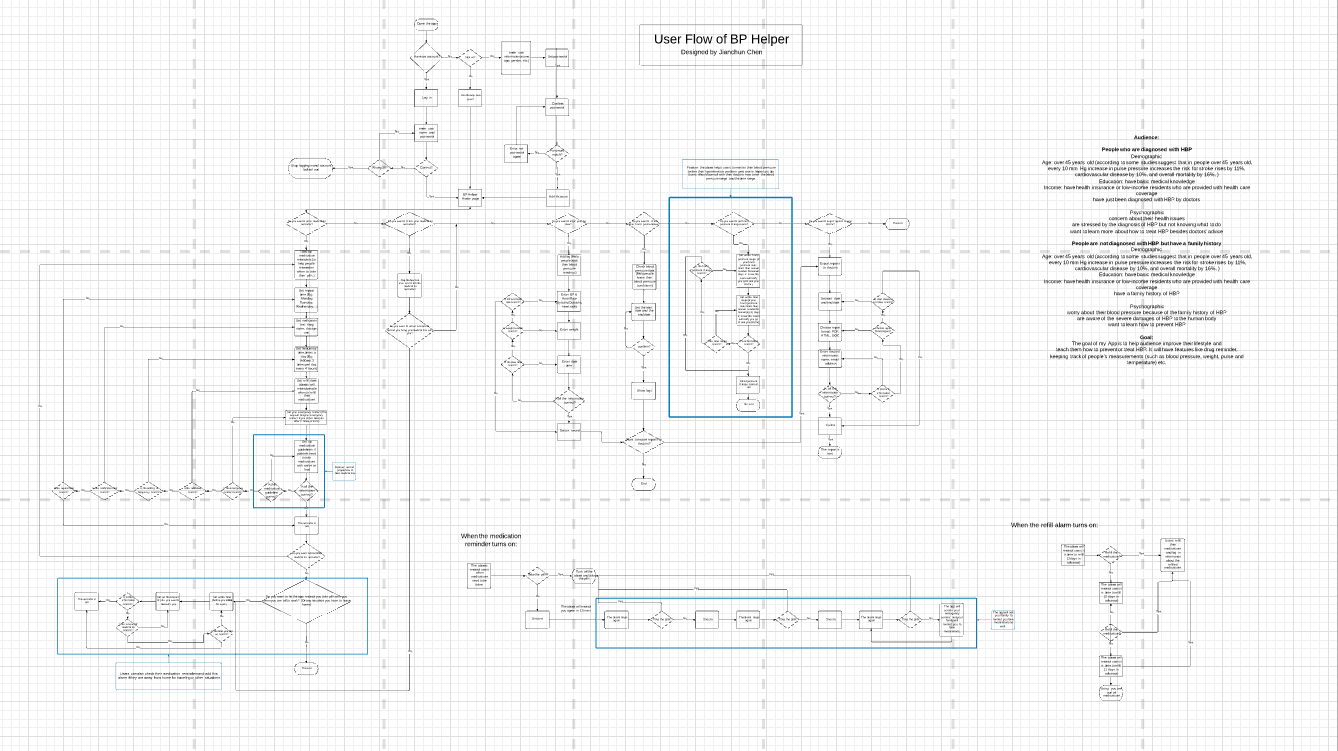
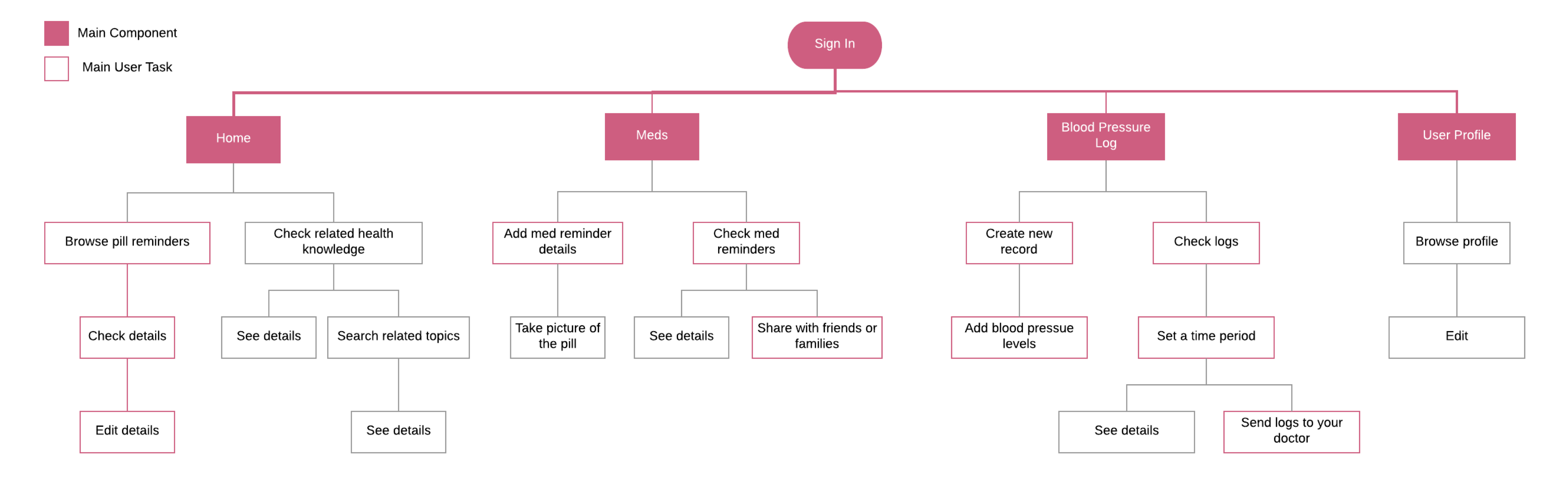
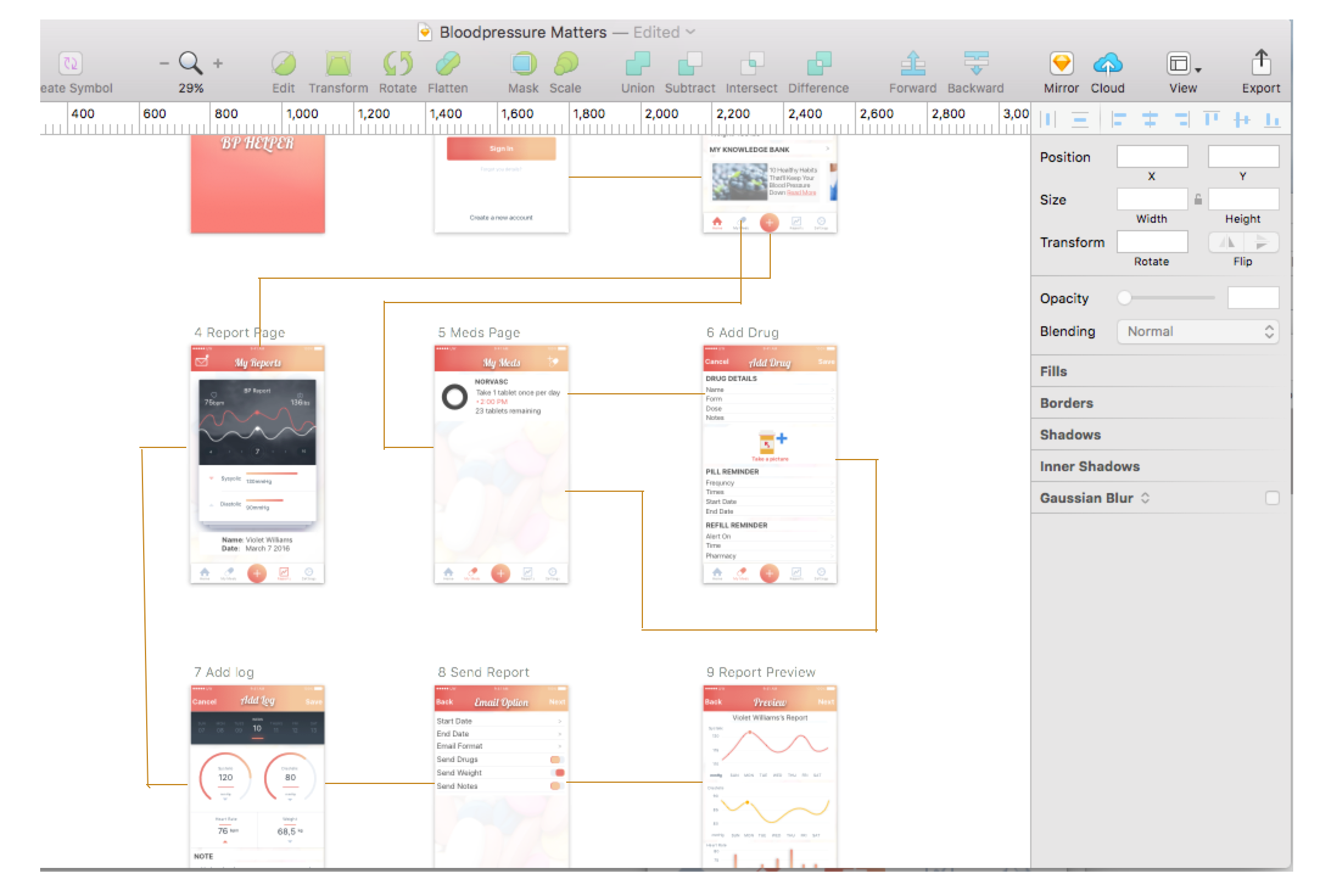
Based on previous first-stage research, I first built a diagram to help me understand the structure and the user task flow. On the other hand, user flow diagrams help me visualize the complexity of a task.


I conducted a user flow test to collect user feedbacks. After the test, I identified key user flows, then simplified the user task flow and highlighted the main user tasks.


Evaluation

Low-fidelity Prototype


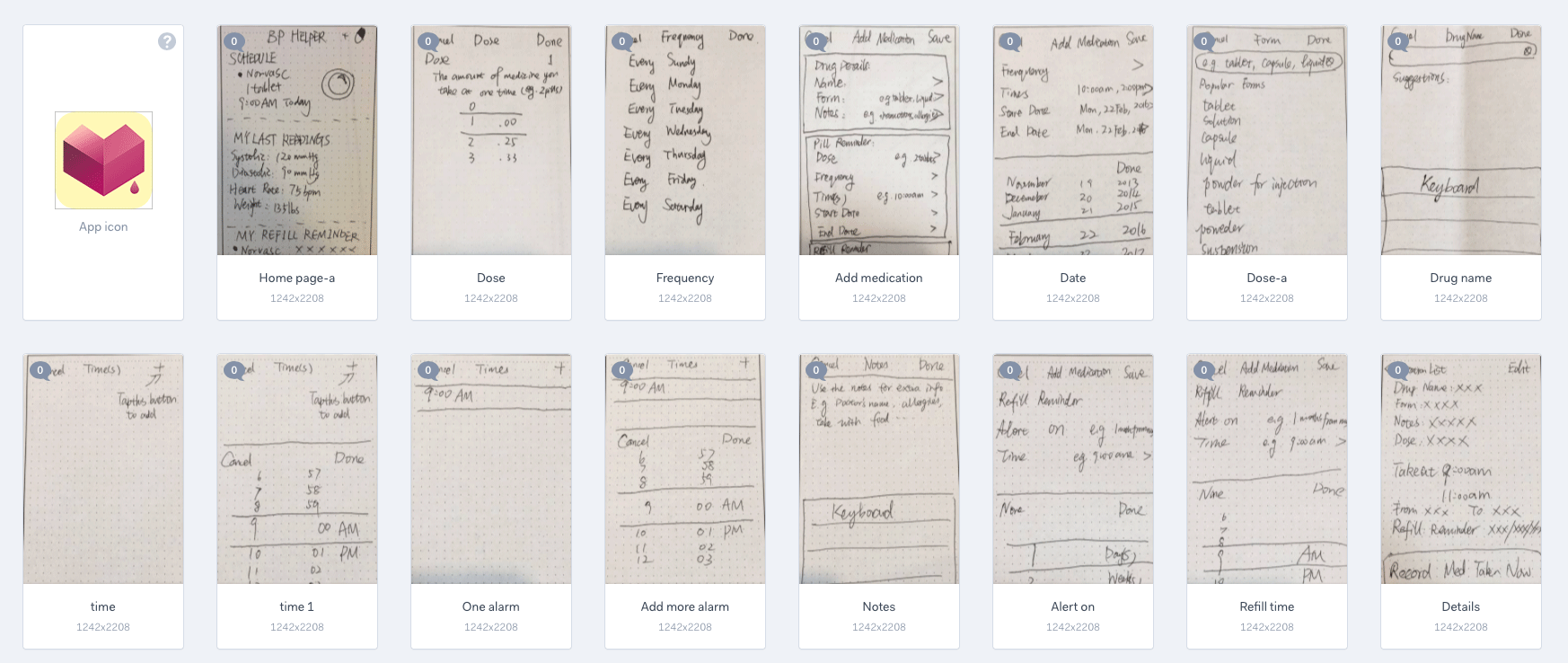
After I figured out the user task flow and had a clear plan of what I wanted to design, I created low-fidelity prototypes to make the functionality of every section in the mobile app clearer.


I sent the link of the low-fidelity prototypes to 5 testers.  Even tough these low-fidelity prototypes are limited function, limited interaction prototyping efforts.  They are constructed to depict concepts, design alternatives, and screen layouts. The goal of low-fidelity prototyping is to have users give me their insights of the product and whether the mobile app could solve the defined problems. 

Feedbacks


Usability Testing


With all these feedbacks, I created high-fidelity prototype for further use testing


Problems and Solutions


Final Delieverables

Iconography


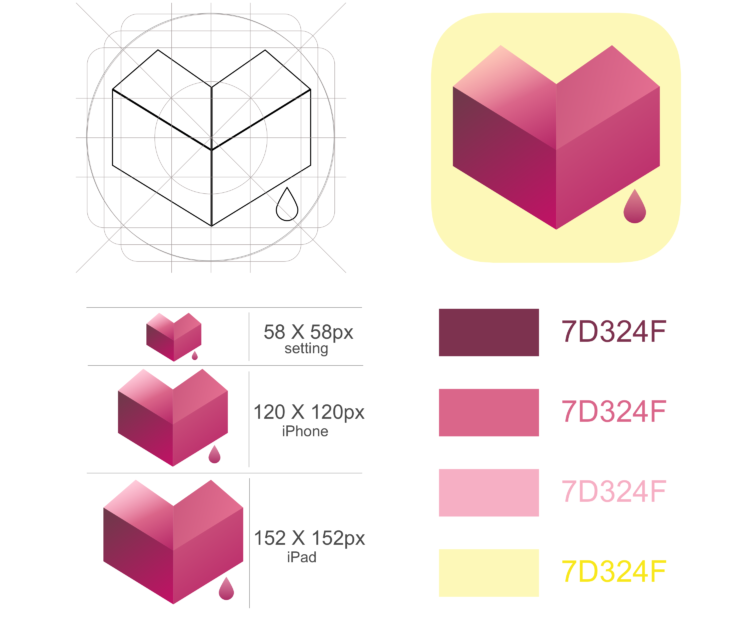
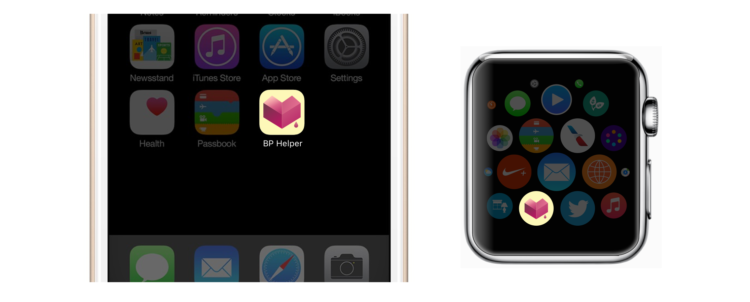
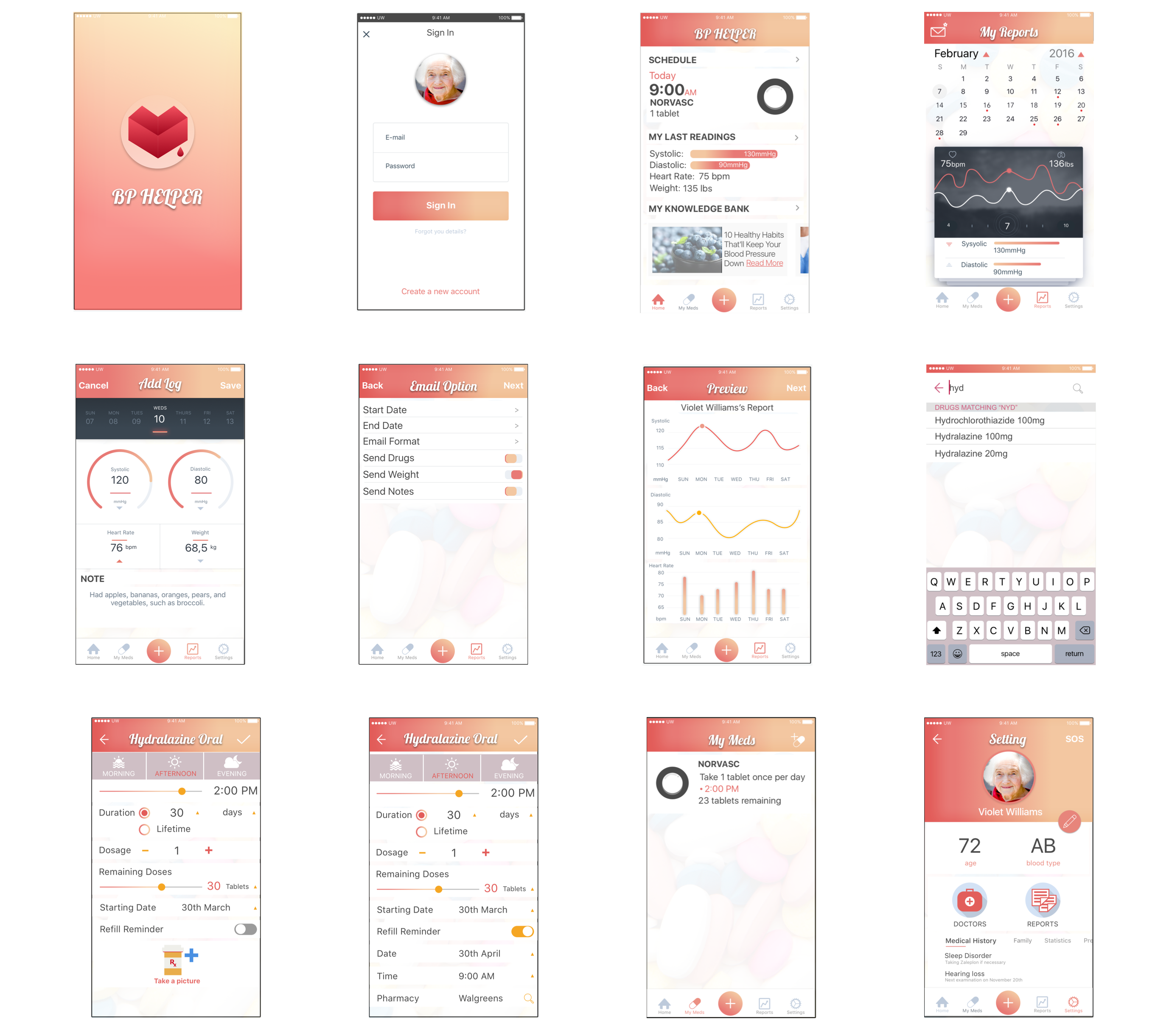
In order to bring the app more personality, I created a logo and an icon system that reflected the healthy and minimalistic side of BP Helper with clean and simple shapes.


Selected UI


Gestures & Animation


Gestures and animations improve the app's usability. They attract users' attention to important details and help them make the right decision. Moreover it brings users more cohorent and intuitive experience.

The followng video gives you an overview of the app.


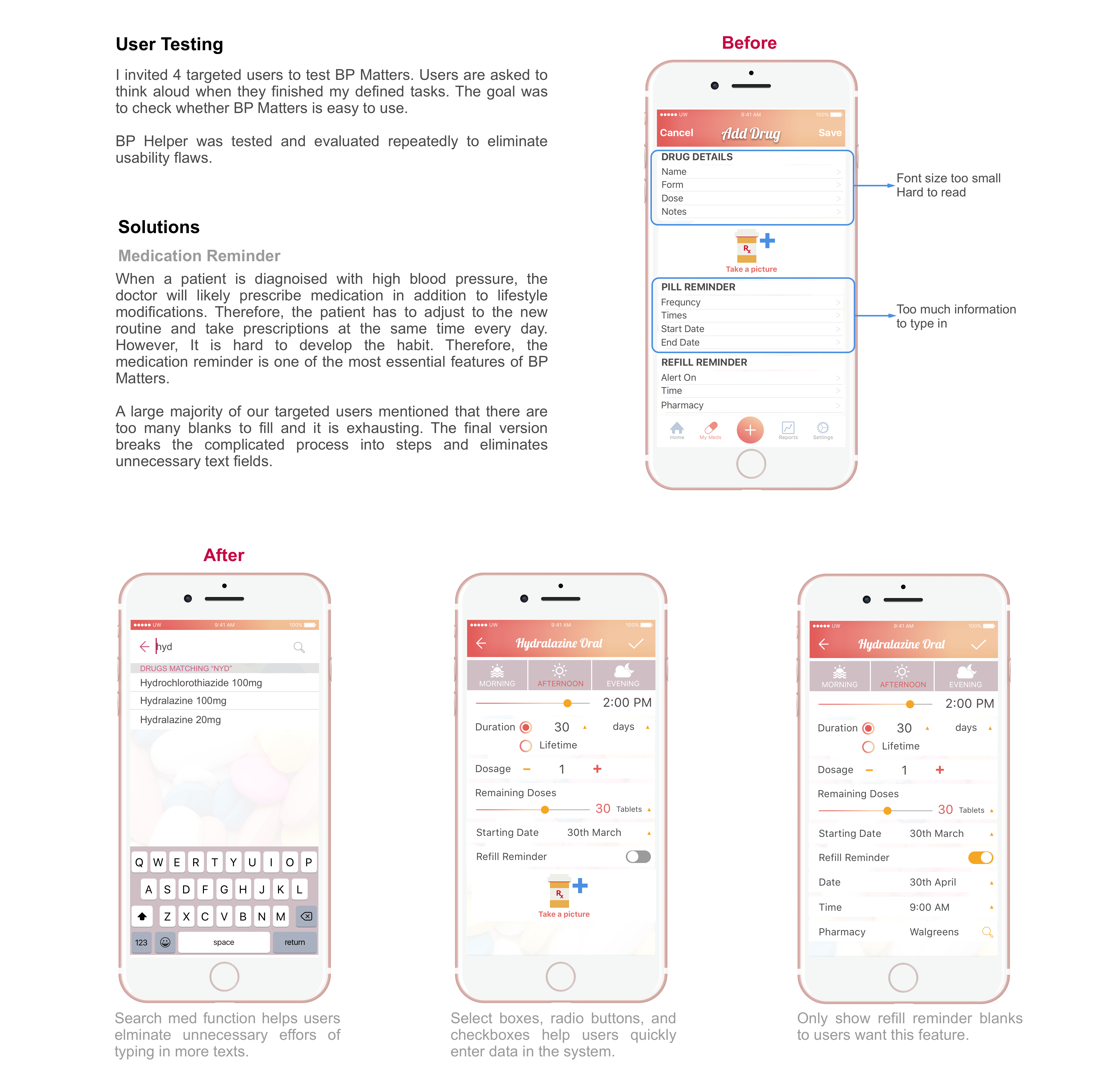
Adding the medication reminder is one of the most important features of BP Helper. Once the patients are diagnosied with hypertension, they need to take meds constantly. However it is hard to develop the habit of taking pills everyday. Moreover, people may forget to refill their pills easily. According to the user research, most of the hypertension patients are elder people. For their convinentce, users can just type in a few letters and the app will give them search result suggestions. When they are typing in the medication information, they don't have to type in every detail, they can easily modify detials by tapping buttons or dragging with their finger.


The Reflections

✓ This was the first time I went through the entire UX design process by myself. I had better understanding of how to conduct user research.

✓ I learnt spiral model of design: prototyping, testing, refining design through multiple iterations.

✓ About prototyping, I understand prototype doesn’t need to be pretty. Dirty mockups are enough for early user testing, and a combination of works-like and looks-like mockups can work amazingly well.